PlotBot: Difference between revisions
No edit summary |
No edit summary |
||
| Line 1: | Line 1: | ||
{{Project | {{Project | ||
|name=Base48 PlotBot | |name=Base48 PlotBot | ||
|image= | |image=Turtle-bots.jpg | ||
|founder=niklasroy.com/robotfactory | |founder=niklasroy.com/robotfactory | ||
|coops=lubko, vanicka | |coops=lubko, vanicka | ||
| Line 24: | Line 24: | ||
== Our modifications == | == Our modifications == | ||
Our FreeCAD model is here: | |||
https://codeberg.org/lubko/turtle-robot/src/branch/main/tiny_turtle_plotter_CAD.FCStd | |||
Modified parts typically have "new" in their name. | |||
<gallery> | |||
File:Turtle-endstop.jpg|Different endstop microswitch | |||
File:Turtle-switch-ball.jpg|Different size roller and endstop | |||
File:Drawbot-ball2.jpg|Roller ball | |||
File:Turtle-wheels1.jpg|Wheels | |||
</gallery> | |||
=== Endstops === | === Endstops === | ||
The microswitches come in different shapes and forms. We added extra prongs to the bumper ring to engage with wider range of microswitches. | The microswitches come in different shapes and forms. We added extra prongs to the bumper ring to engage with wider range of microswitches. | ||
| Line 40: | Line 51: | ||
=== Power banks === | === Power banks === | ||
Ones we had didn't fit. We adjusted the layers 1 and made different versions of the upper ring to hold them in place. | Ones we had didn't fit. We adjusted the layers 1 and made different versions of the upper ring to hold them in place. | ||
| Line 57: | Line 69: | ||
=== Gallery: === | === Gallery: === | ||
<gallery mode="slideshow"> | <gallery mode="slideshow"> | ||
File:20260119_145224.jpg | |||
File:555688595 1215584740611888 2776984424721907890 n.jpg | File:555688595 1215584740611888 2776984424721907890 n.jpg | ||
File:555534763 1215584797278549 3519708831245411009 n.jpg | File:555534763 1215584797278549 3519708831245411009 n.jpg | ||
Revision as of 17:34, 25 March 2026

What is this
A whiteboard drawing bot project. We didn't design the thing, but we built a couple of robots. Along the way, we made modifications and learned a lot.
Among things we learned is that it's a perfect project to get start with robotics.
Here's where it comes from:
https://hackaday.com/2025/09/02/this-plotter-knows-no-boundaries/
https://www.niklasroy.com/robotfactory/
The above link actually contains everything needed to get the bot going. Below are adjustments for parts we had.
Our modifications
Our FreeCAD model is here:
https://codeberg.org/lubko/turtle-robot/src/branch/main/tiny_turtle_plotter_CAD.FCStd
Modified parts typically have "new" in their name.
-
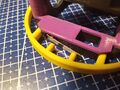 Different endstop microswitch
 -
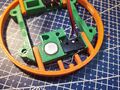 Different size roller and endstop
 -
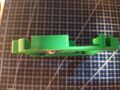 Roller ball
 -
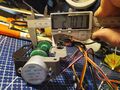 Wheels


Endstops
The microswitches come in different shapes and forms. We added extra prongs to the bumper ring to engage with wider range of microswitches.
Roller ball
We used a larger furniture ball, which in turn means we had to make room in the parts in two lowest layer and make the wheels larger.
Wheels
The wheels were too small, possibly because our roller ball was bigger. They were also rubbing against layers 1 and 2, and appeared to be made for 5mm shaft in the stepper (our had 6mm). This has, of course, thrown off the geometry. a little.
We also had different size tyres.
Power banks
Ones we had didn't fit. We adjusted the layers 1 and made different versions of the upper ring to hold them in place.
Software
Arduino code: https://github.com/vranicka/PlotBot
Control Board

Schematic: turtle-bot-v3-schematic.pdf
Fabrication notes: turtle-bot-v3-pcb-fab-notes.pdf
Negative printout for PCB etching: turtle-bot-v3-pcb-back-etch.pdf


